Watch: Photos and the Reaction Wall (3:37) · All videos
Three steps
The photo challenge is a photo contest with a vote. The photo showdown picks finalists from the photos guests send. And the reaction wall puts reactions, messages and photos on the TV.
Photo challenge: set it up
Write a prompt, like something blue. Set how long guests have to take their photos and how long to vote, and how many points the winner gets.
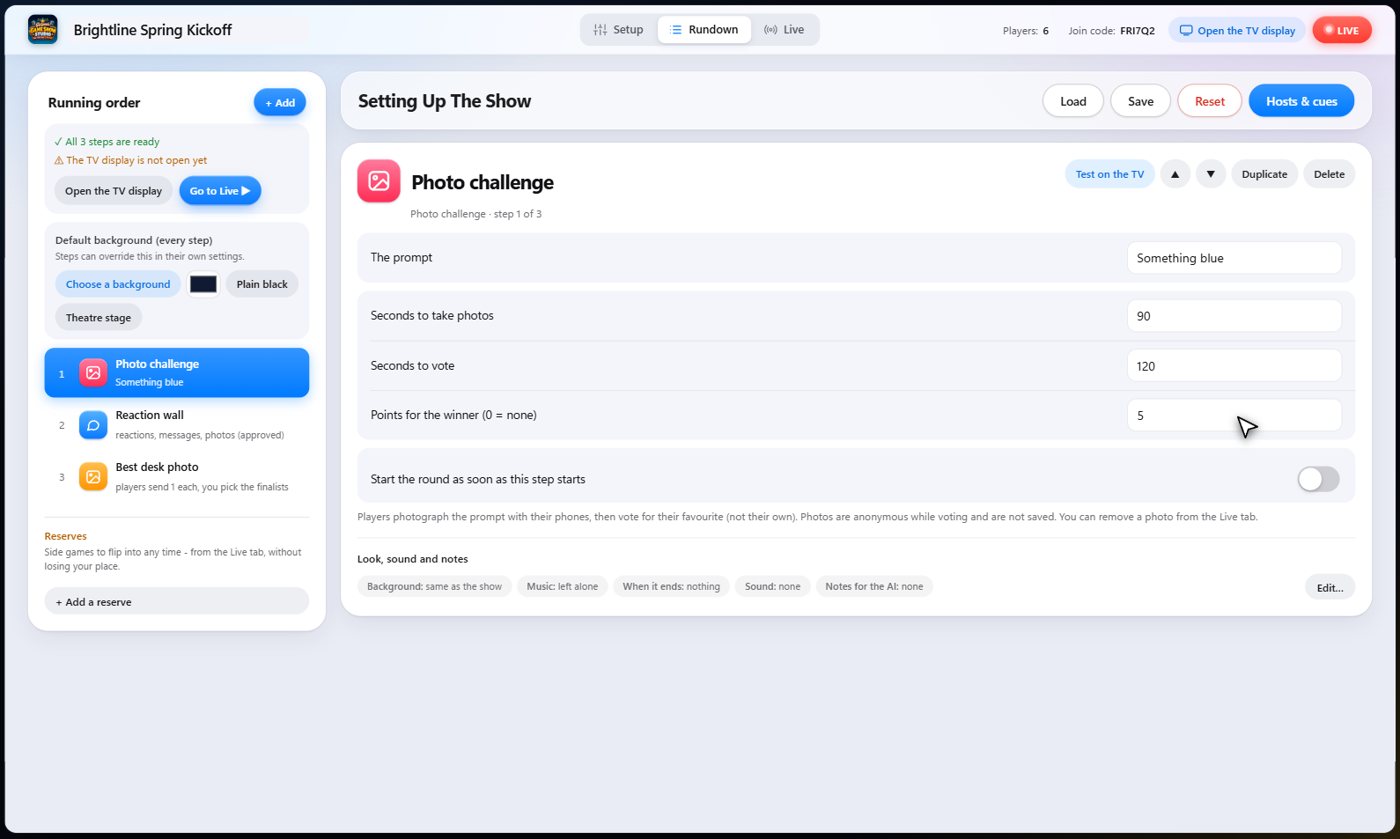
Shoot, vote, winner
When the round starts, the prompt is on the TV, and every phone can take a photo or choose one from its library. Guests send their best one. Then the photos are shown without names, and everyone votes for their favourite, but not their own. The winning photo is shown on the TV with its photographer's name, and the points go to the winner. You can remove any photo you do not want shown from the Live tab.
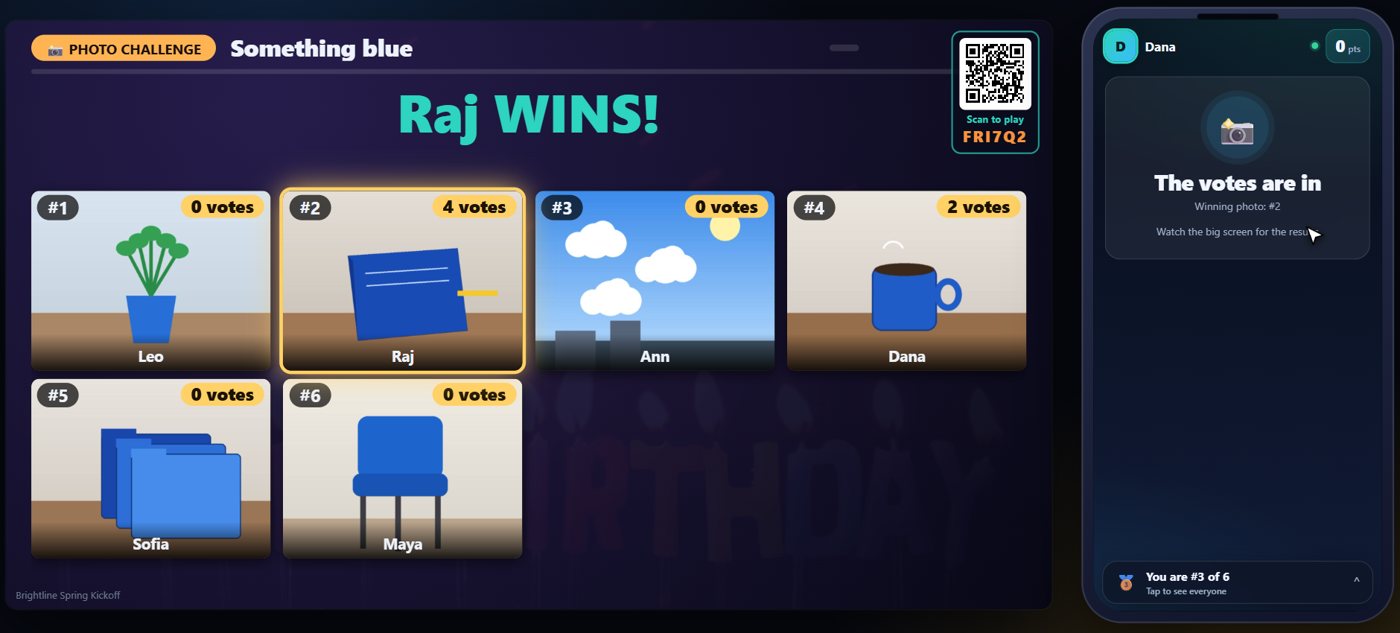
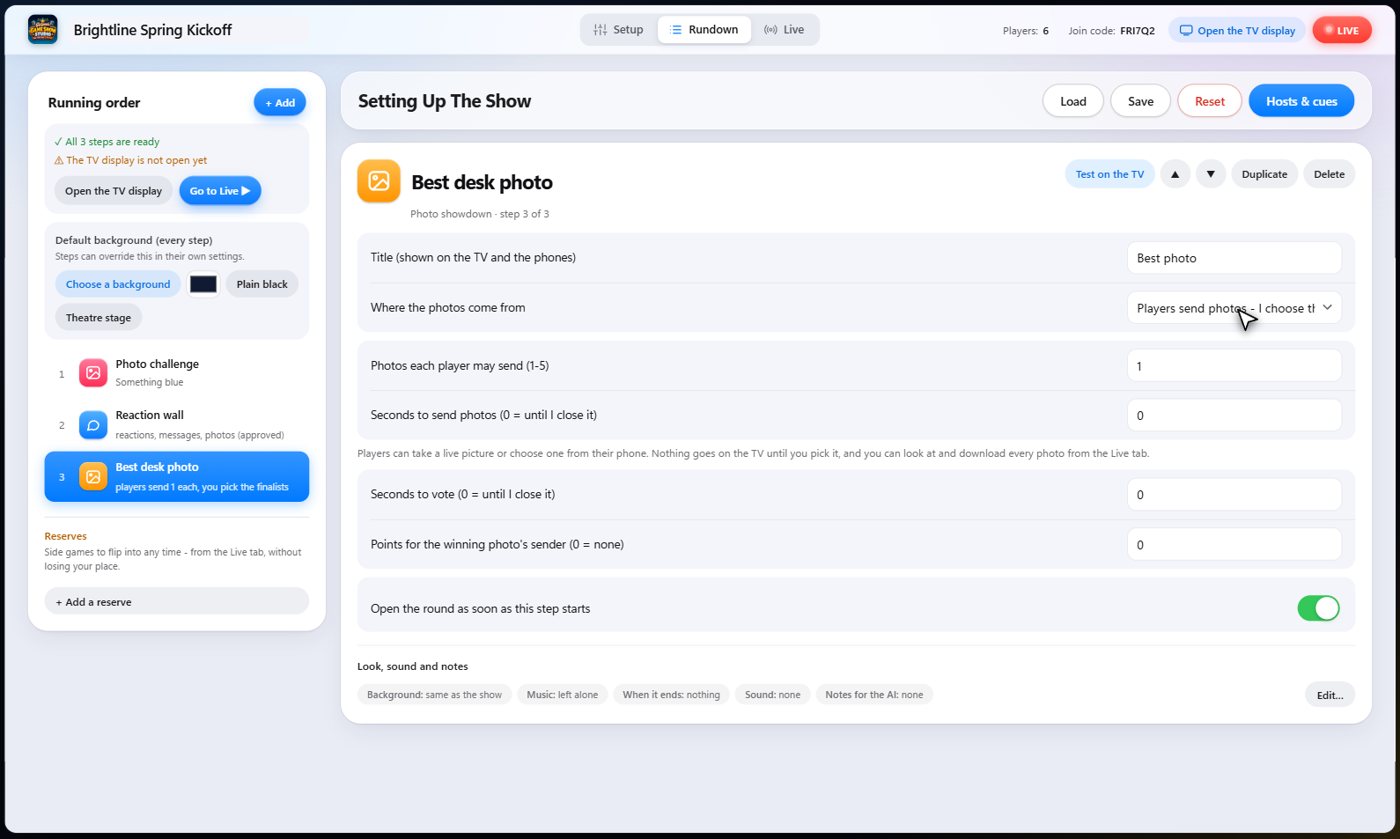
Photo showdown
The showdown works differently. Guests send photos, you choose the finalists, and the crowd votes on those. Or you provide the photos yourself, and guests only vote. Nothing goes on the TV until you pick it. You can download every photo players sent.
Reaction wall: set it up
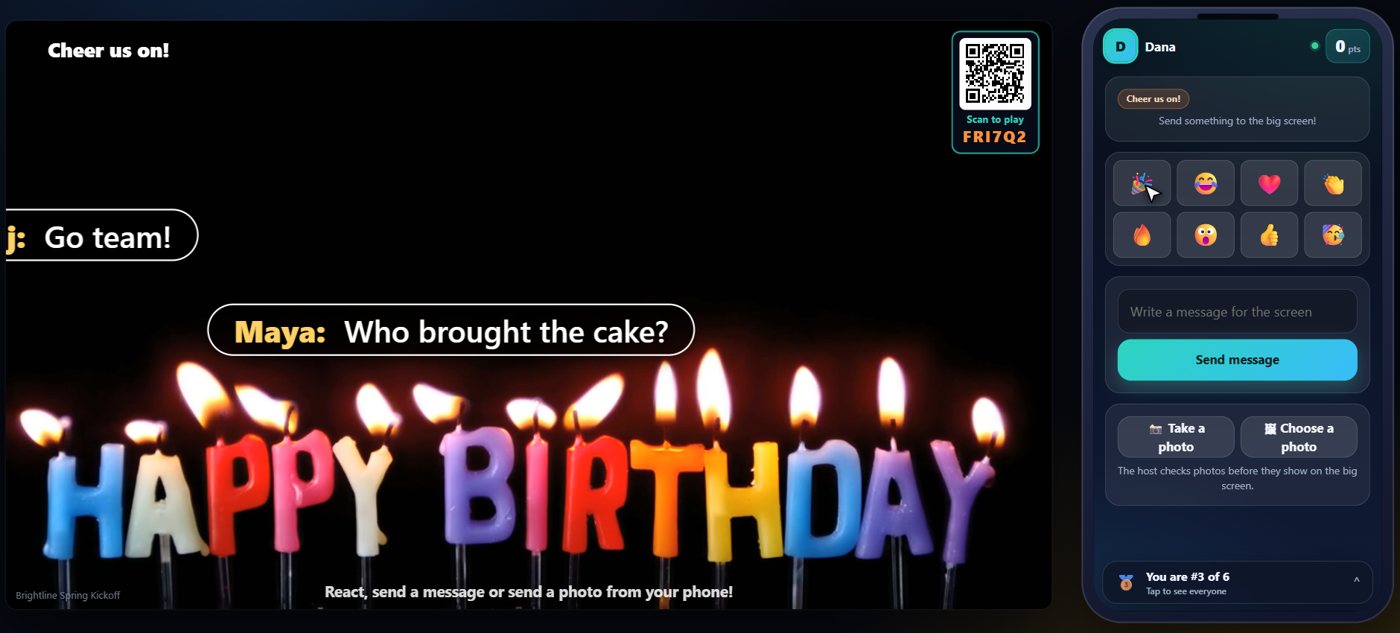
The reaction wall lets guests send emoji reactions, short messages and photos to the TV. You choose which emojis they get, and whether messages and photos show at once, or only after you approve them.
Tip Give the step a looping video background, and the reactions play over it. See Backgrounds, music and media.
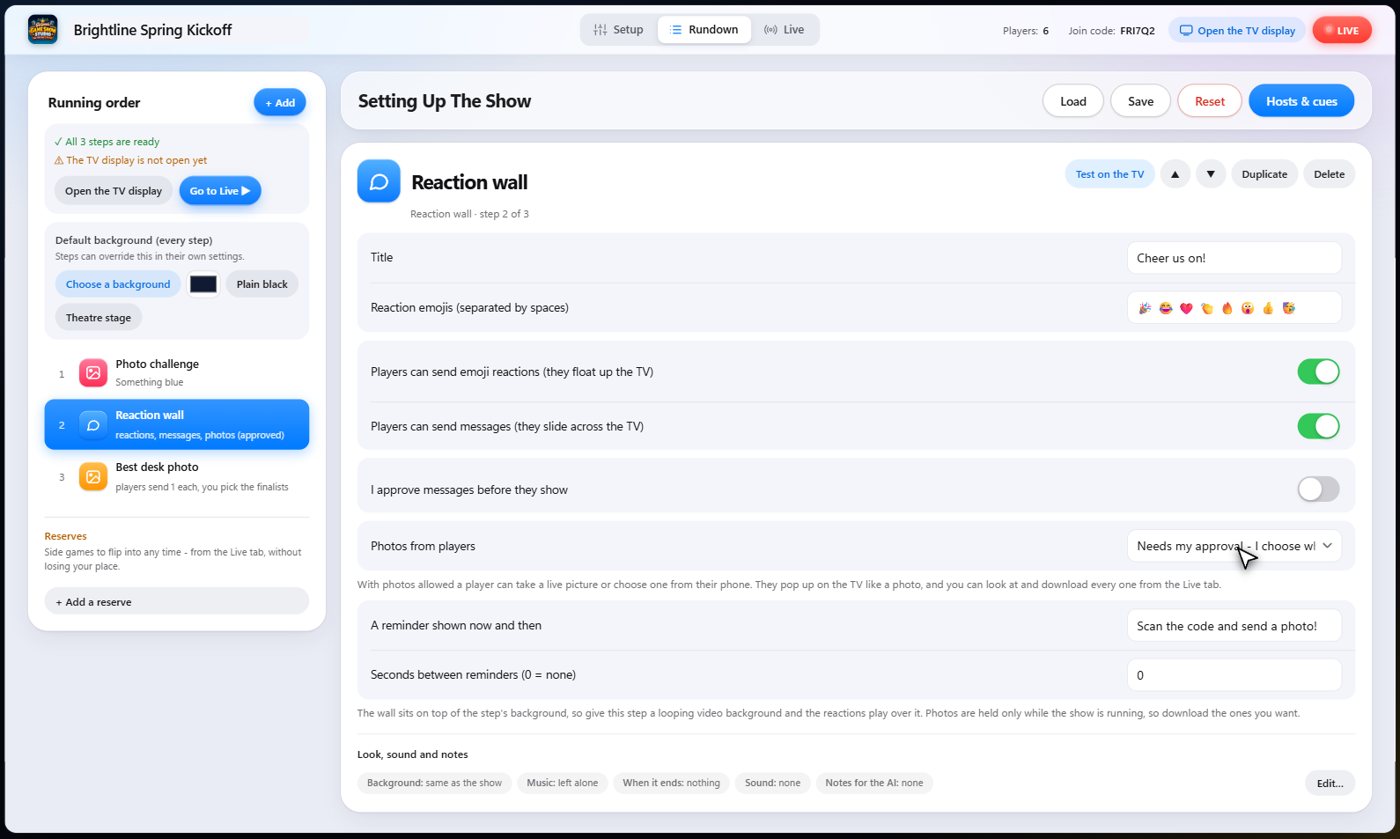
Reactions float, messages slide
On the night, reactions float up the TV, and messages slide across it as guests send them.
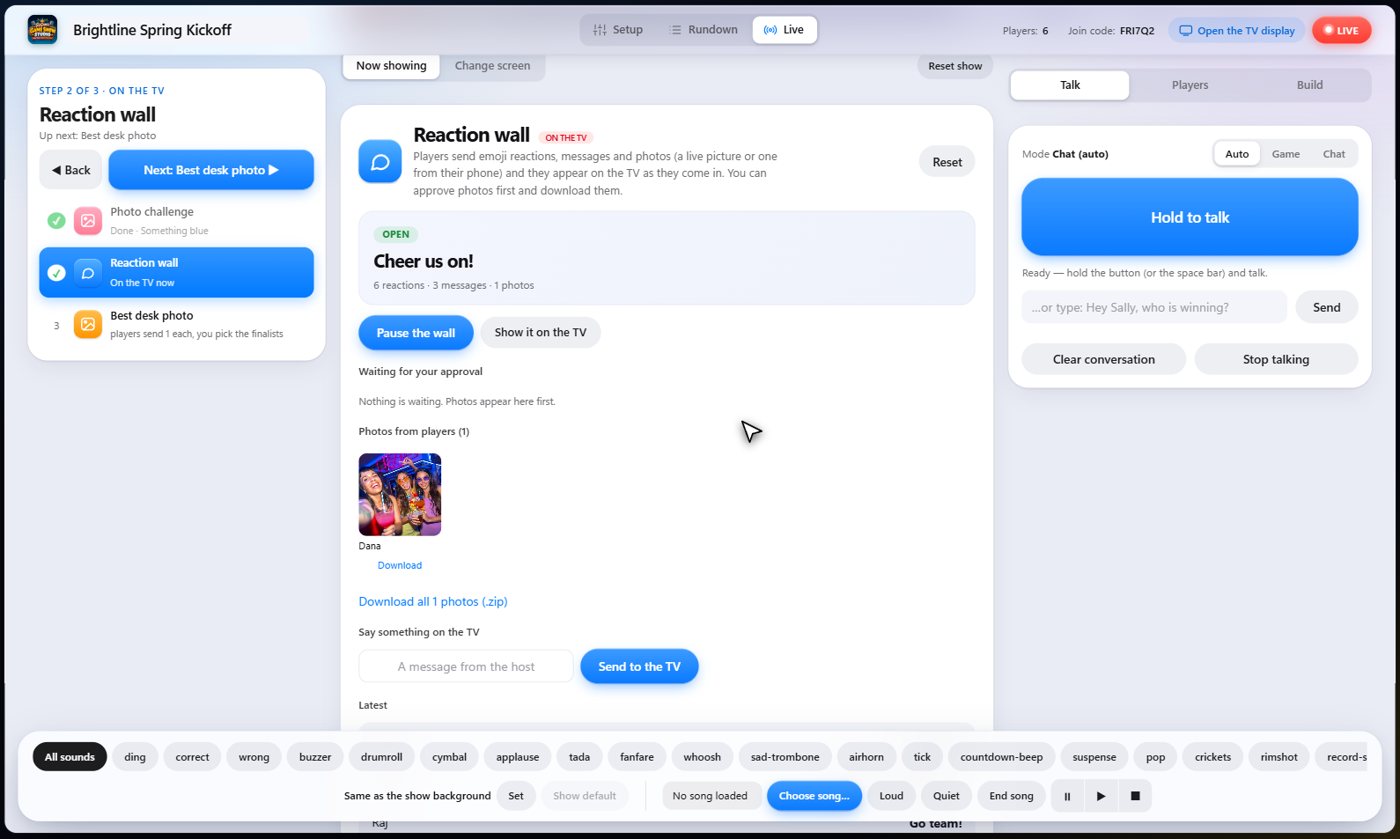
Approve the photos
Photos can wait for your approval. A guest sends one, and it is held back, so nothing appears on the TV that you have not seen. On the Live tab, you see every photo waiting, and approve or reject each one. You can also pause the wall at any time.
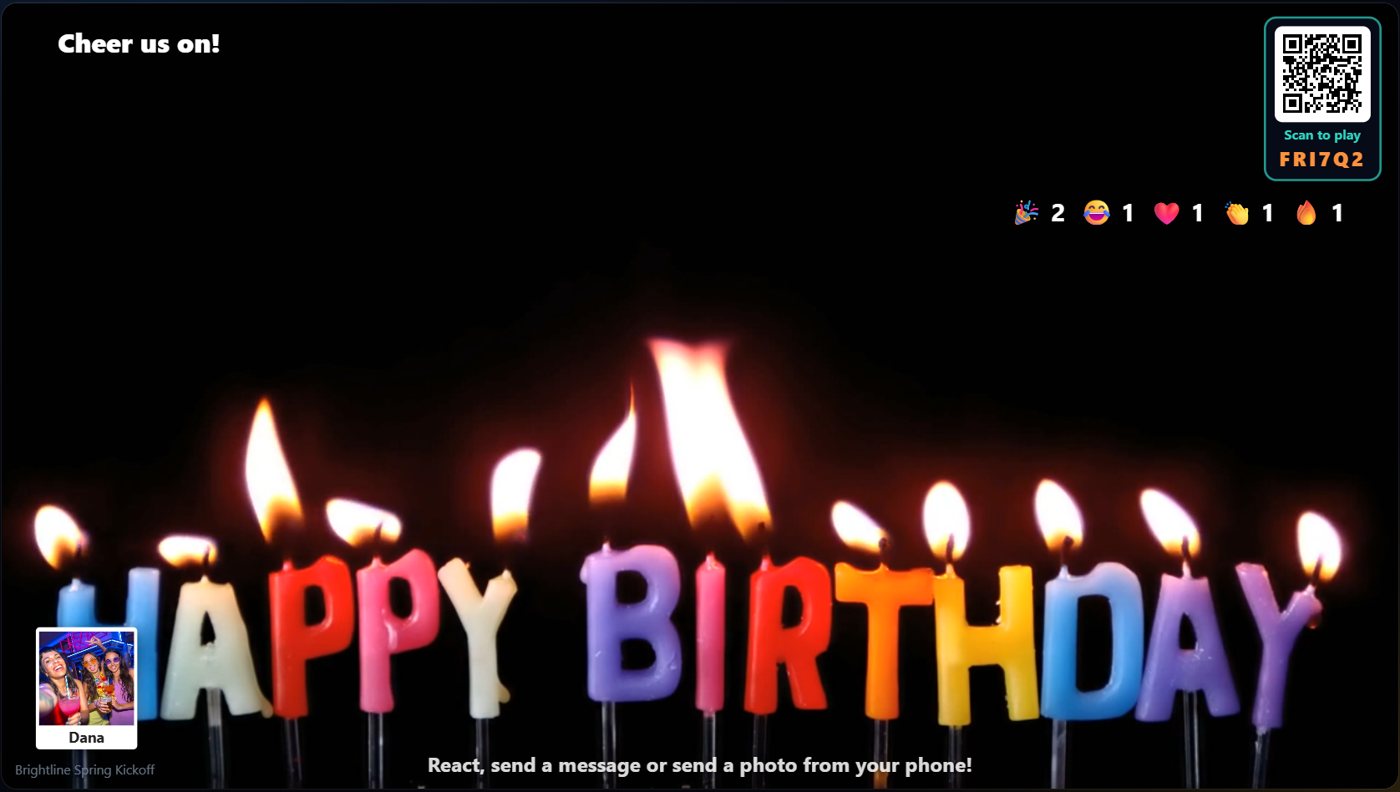
Once approved
Once approved, the photo pops up on the TV for everyone. Photos are held only while the show is running, so download the ones you want.
Something missing or unclear? Check the FAQ or browse all guides.