Watch: Build and Run a Complete Show (4:31) · All videos
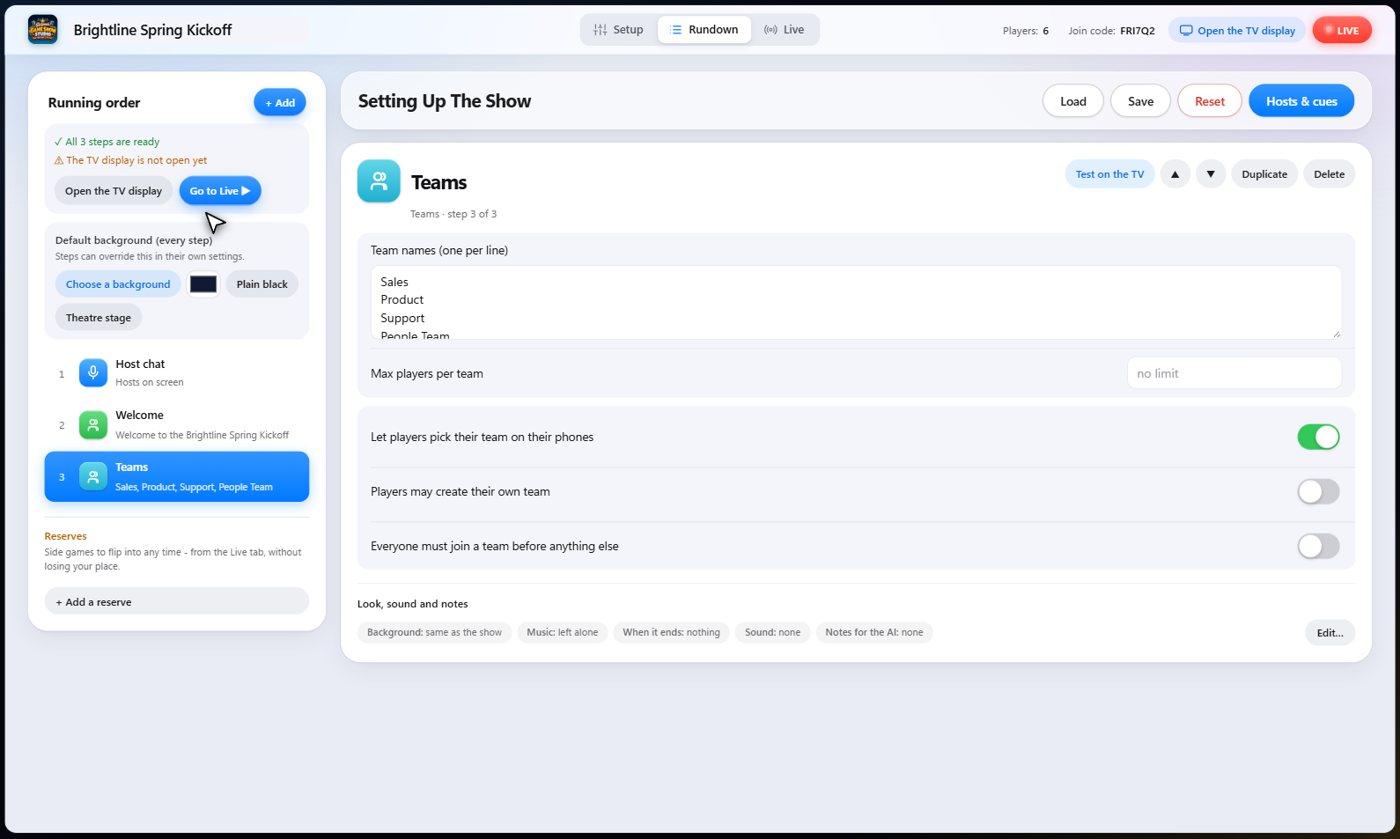
Add teams
Add a Teams step and list the team names, one per line. Guests pick theirs on their phones, and the TV shows who has joined. You can also deal everyone out evenly, or assign players by hand.
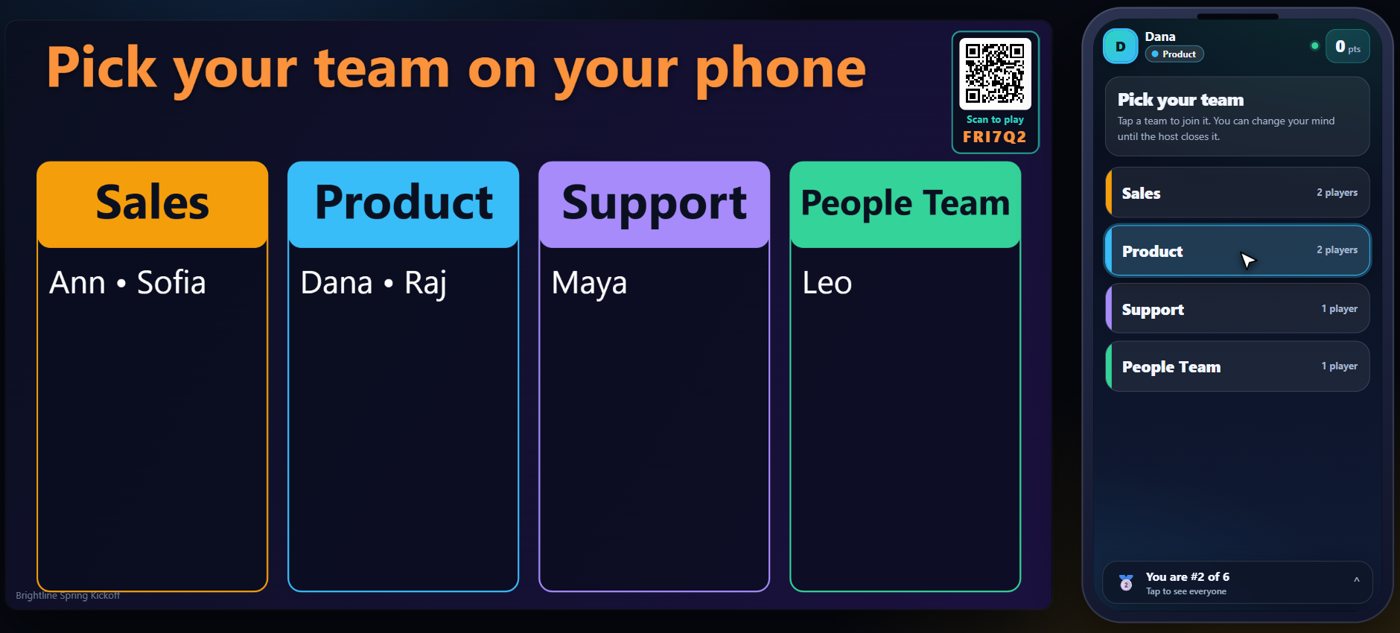
Guests pick a team
The TV shows the teams and who has joined each one, while each guest picks on their phone.
Points
Every game that scores has a points setting in its Rundown step, and it starts at 0. Leave it there and add points by hand, or set points per game, per trivia question, or for the first or every bingo winner. You can adjust any score at any time.
Show the scores
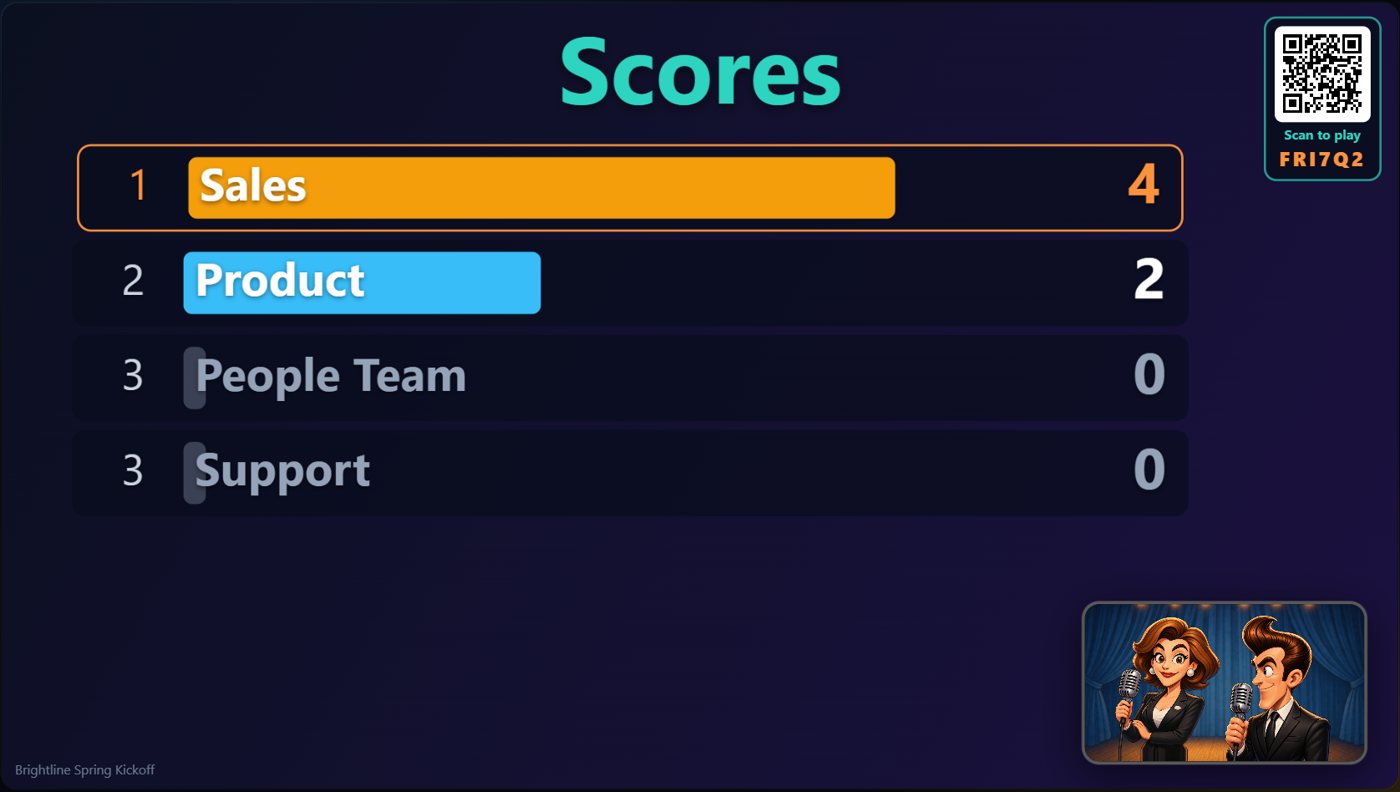
Add a Scoreboard step, or ask a cohost to show the scores. Teammates share a team score, and players also have their own totals.
Finish with the winners
End the night with the winners step: the top places on a podium, with confetti, music and applause, and the cohosts to announce it.
Something missing or unclear? Check the FAQ or browse all guides.