Watch: Queues: Song Requests, Karaoke, Questions and Dares (3:55) · All videos
What a queue is
A queue is a line your guests join from their phones. Each person adds one thing, such as a song, a question or just their name, and the TV shows who is on now and who is waiting. You work down the list with one button.
It was made for DJs taking song requests, but the same step runs karaoke, questions for the host, dares, shout-outs and any line where people take turns. You choose what it is for, and every word on the guests' phones and on the TV is yours to change.
Add it and choose what it is for
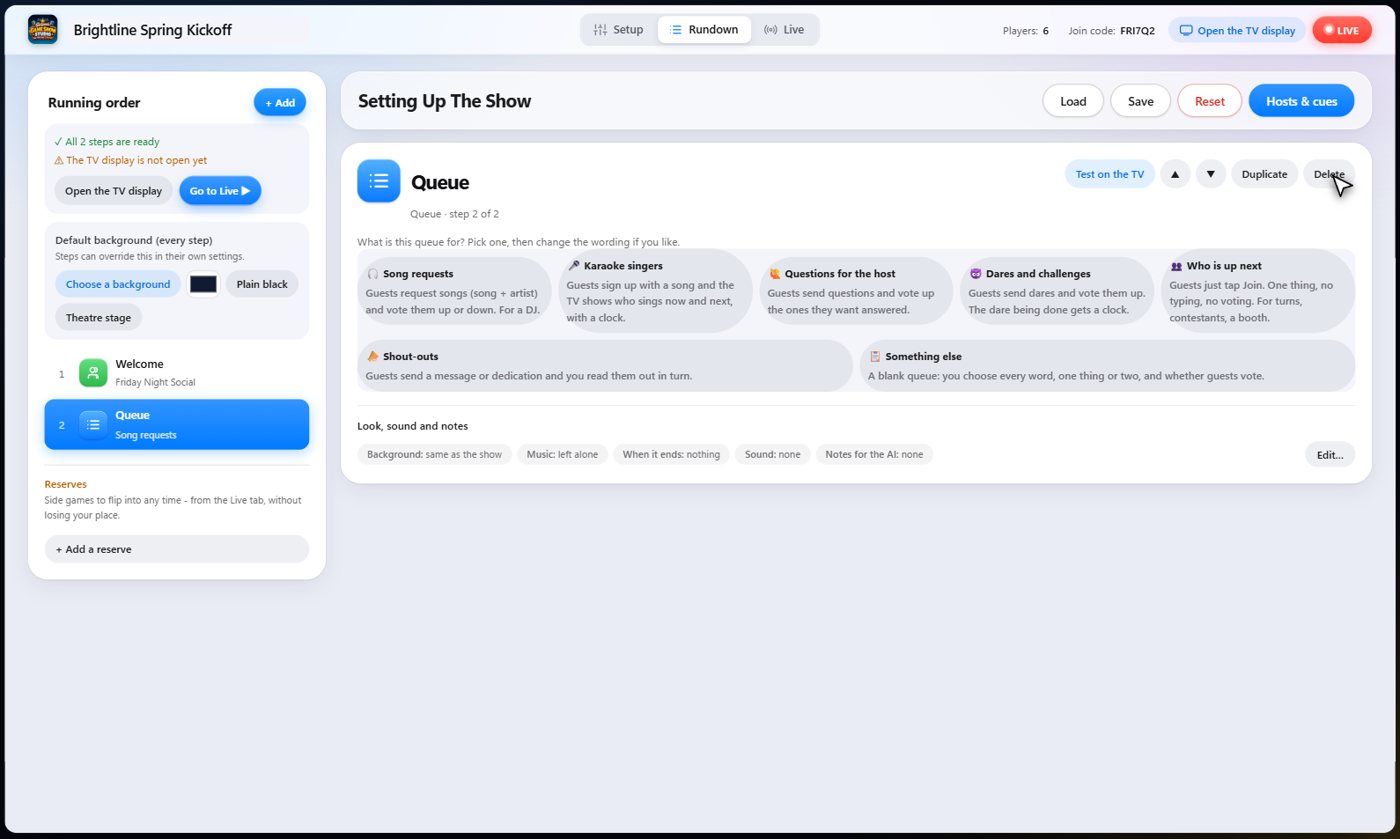
Add a Queue step from the Add menu, like any other step. A short wizard asks what the queue is for. Each choice starts with sensible words, votes and limits, and you can change all of them in the next step.
- Open the Rundown and choose Add.
- Choose Queue.
- Pick one: Song requests, Karaoke singers, Questions for the host, Dares and challenges, Who is up next, Shout-outs, or Something else.
Make the words yours
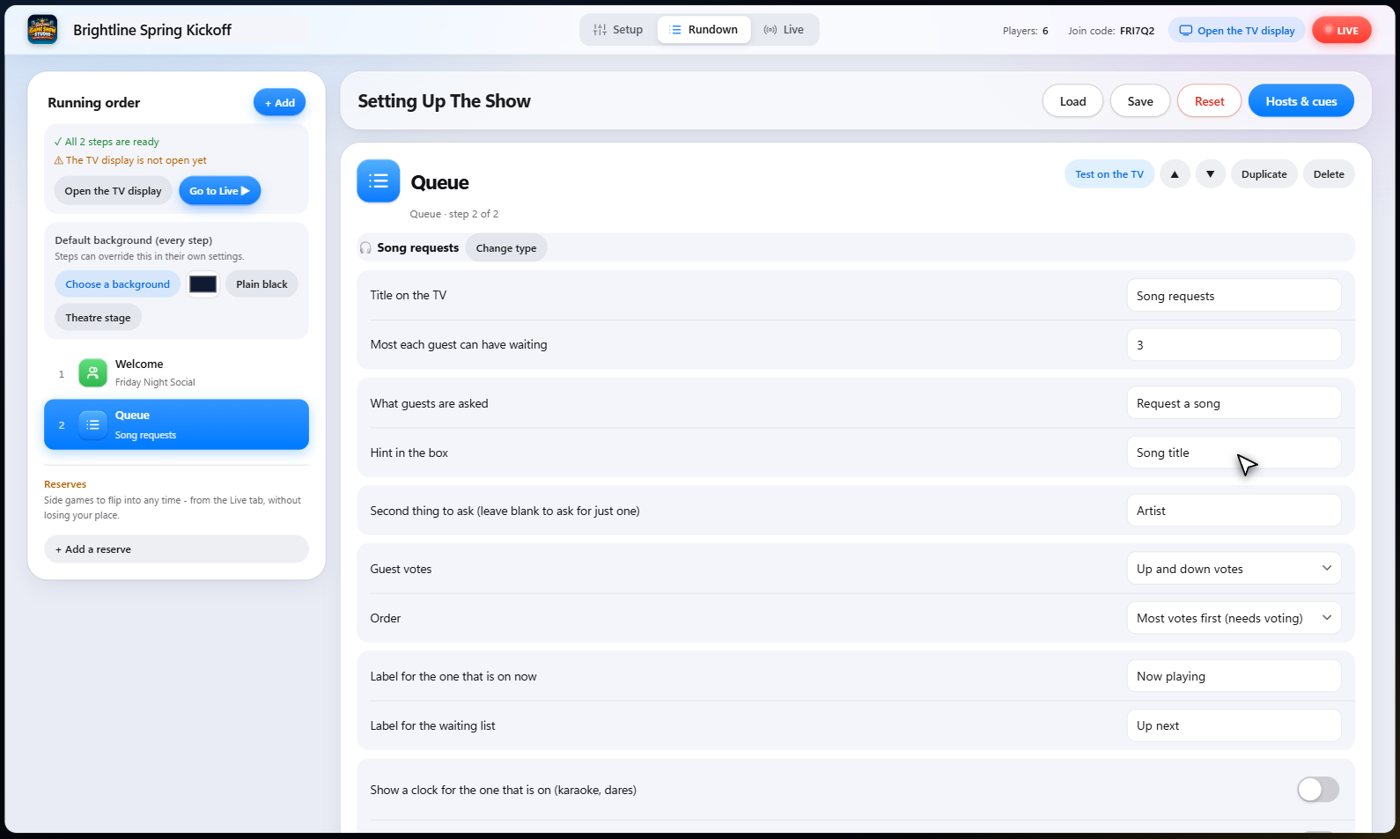
Write the title that shows on the TV, and what guests are asked, such as Request a song or Dare someone. Set the most any one guest can have waiting at once.
A song queue asks for two things: the song and the artist. You can rename the second box, or leave its label empty to ask for just one thing. Questions, dares and shout-outs ask for one line, and the who-is-up queue asks for nothing at all: guests just tap Join.
Tip You can also name the label for whoever is on now (Now playing, On stage, Answering now) and for the list (Up next, Coming up).
Votes, the clock and approval
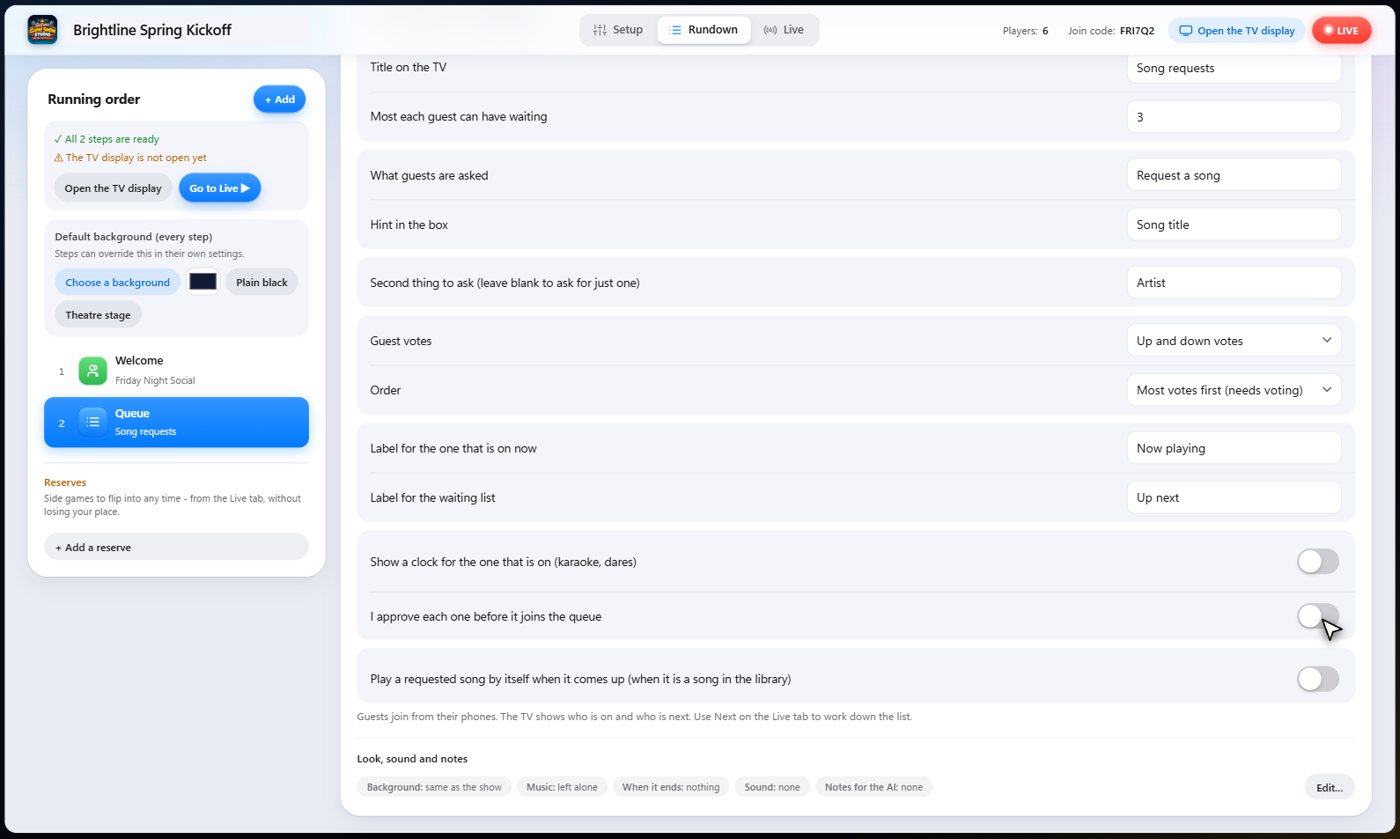
Choose whether guests can vote on what is waiting: no voting, up votes only, or up and down votes. With voting on, the queue can put the most wanted first, instead of first come, first served.
A clock can run for whoever is on now, which suits karaoke and dares. And you can approve every request before it joins the queue, if you want to see them first.
Tip Voting only makes sense when there is something to choose between. A who-is-up line has no votes, and a dare queue only needs up votes.
Guests join from their phones
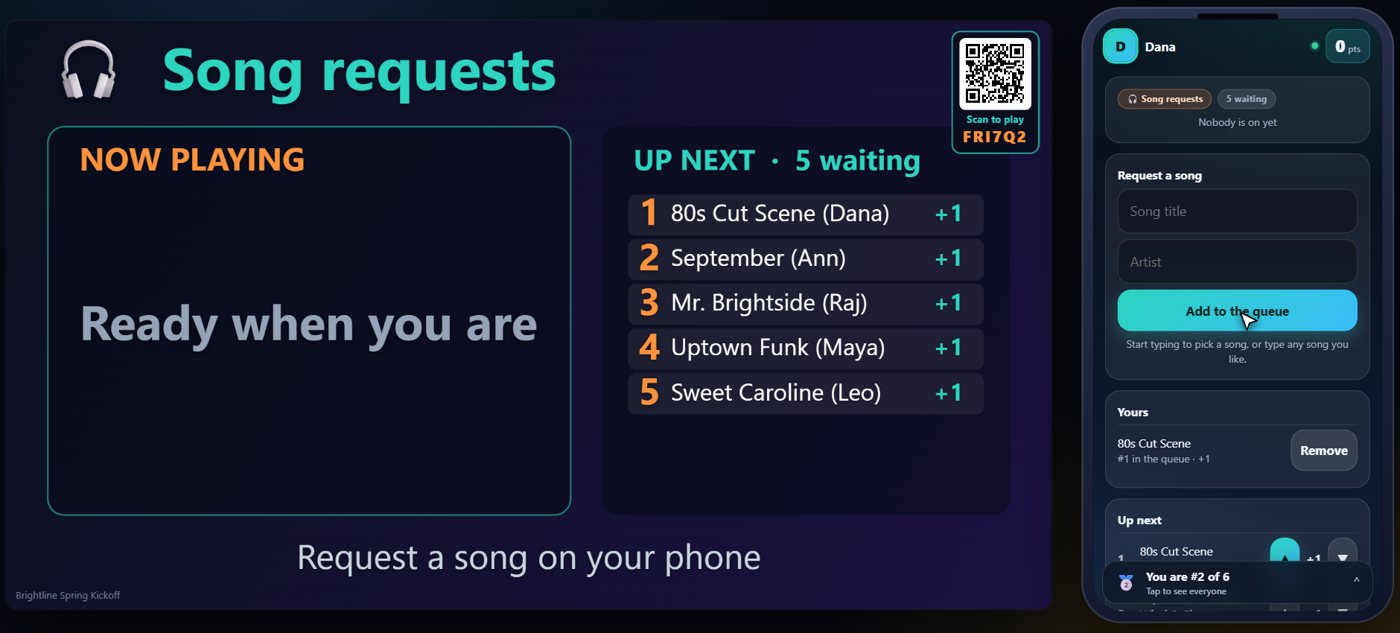
On the night, the TV shows the queue and tells guests how to join. On their phones, guests type what they want, or tap Join. They see their own place in the line, and can take a request back. Each guest can only have as many waiting as you allowed.
If your queue is for songs and a request matches a song in your song library, it is suggested as the guest types. Guests can still type any song they like.
Votes in action
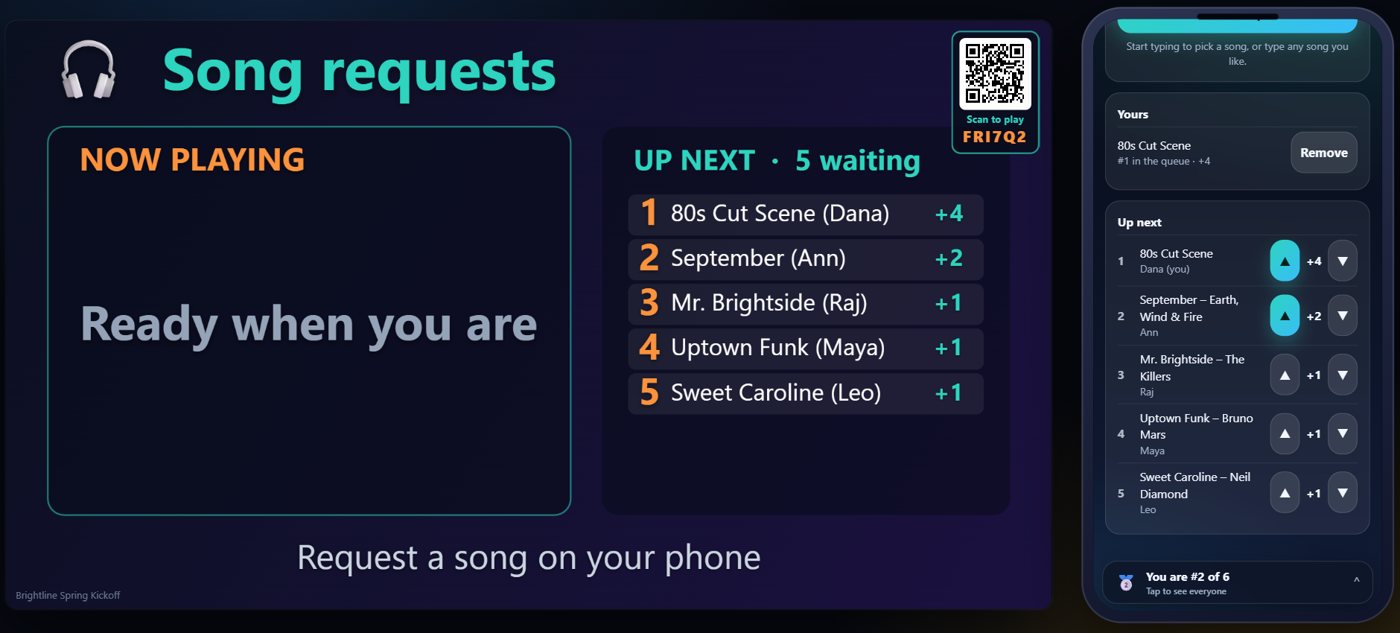
Guests can vote any waiting request up or down. The score shows on the TV, and the most wanted one moves to the top. If someone asks for something that is already waiting, their request simply adds a vote to it, so you never see the same song twice.
Bring up the next one
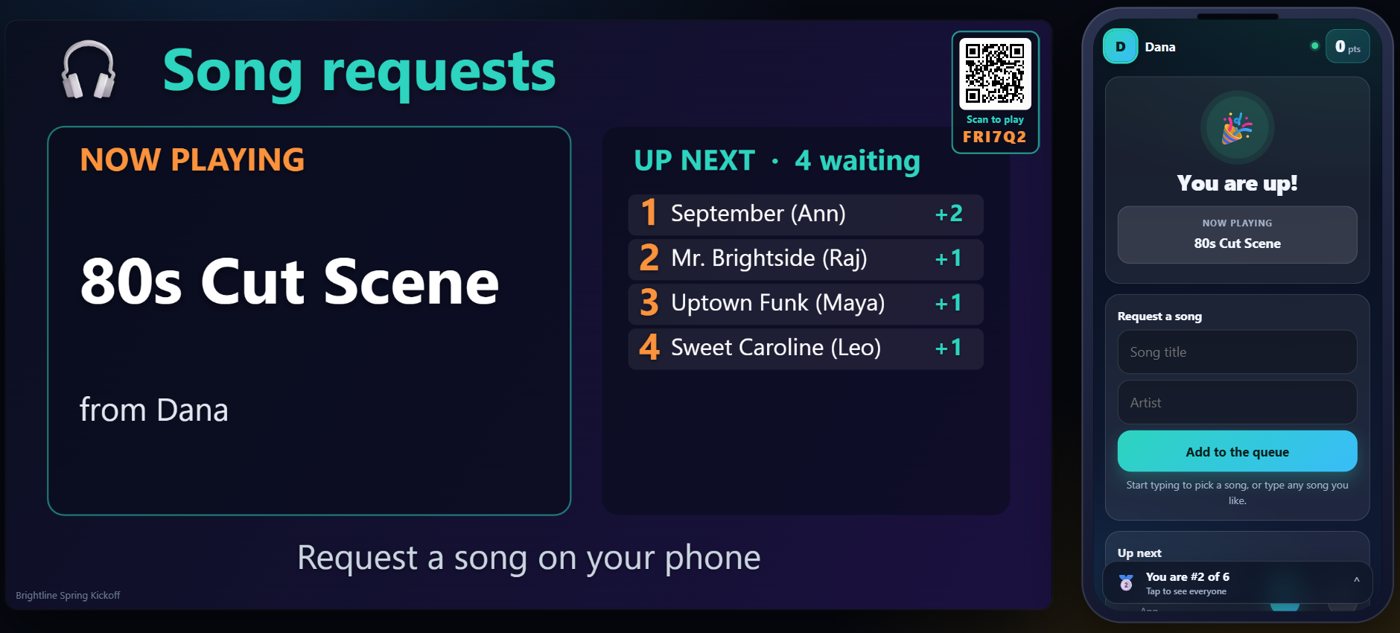
When you are ready, choose Next. The one on top comes up on the TV, and the phone of the person it belongs to tells them it is their turn. If a request matches a song in your library, you can play that song from the same panel, or have it play by itself when it comes up.
Your controls
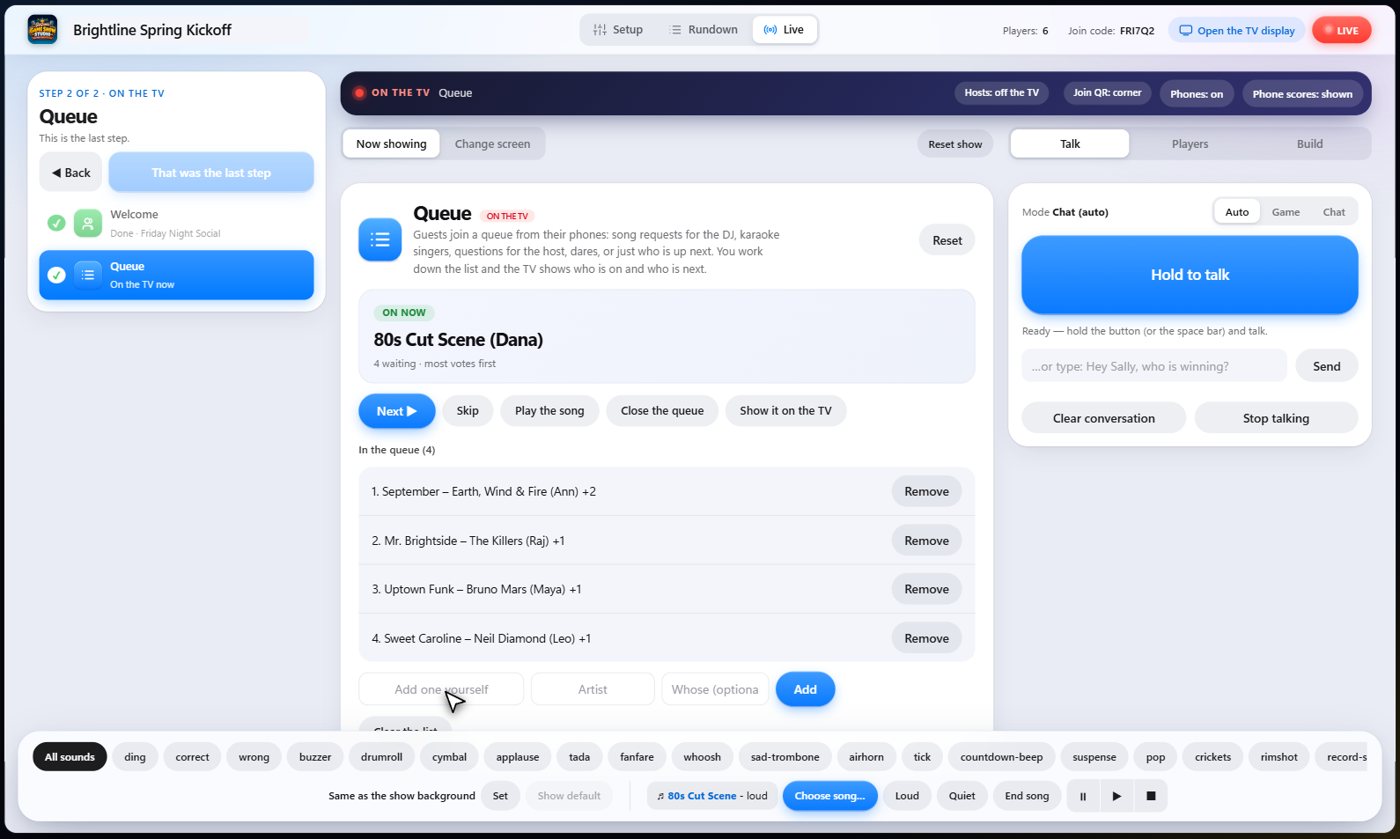
On the Live tab you have Next, Skip, and Play the song. You can close the queue to new requests, move a request to the front, remove one, add one yourself, or clear the whole list. If you chose approval, requests wait in their own list until you accept them.
For DJs: song requests
Choose Song requests. Guests ask for a song and an artist, vote each other's songs up or down, and you play from the top. Turn on playing requested songs by themselves if you want requests from your song library to start on their own.
Set a limit of two or three requests per guest, so one person cannot fill the list, and close the queue between sets. Approval lets you filter anything that does not fit the room.
For karaoke
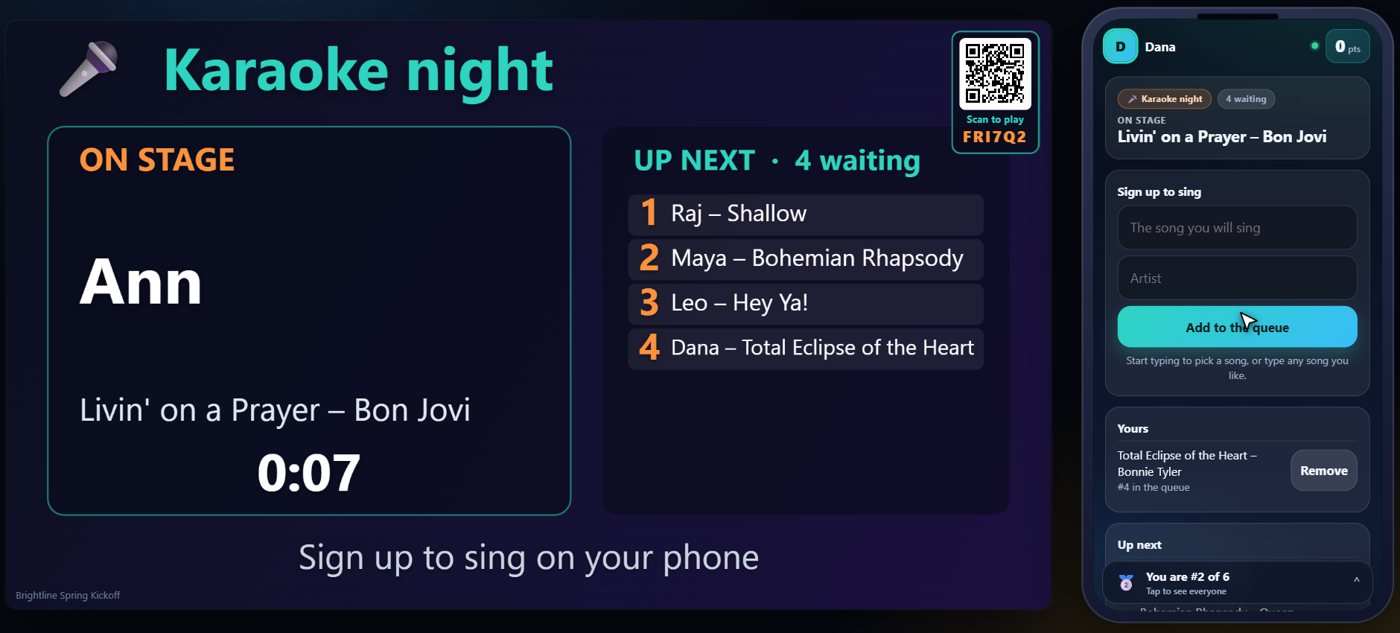
Choose Karaoke singers. Guests sign up with a song, and the TV shows who is on stage, with a clock, and who sings next. There are no votes: it is a fair line, first come, first served. Skip anyone who has left the room.
For questions to the host
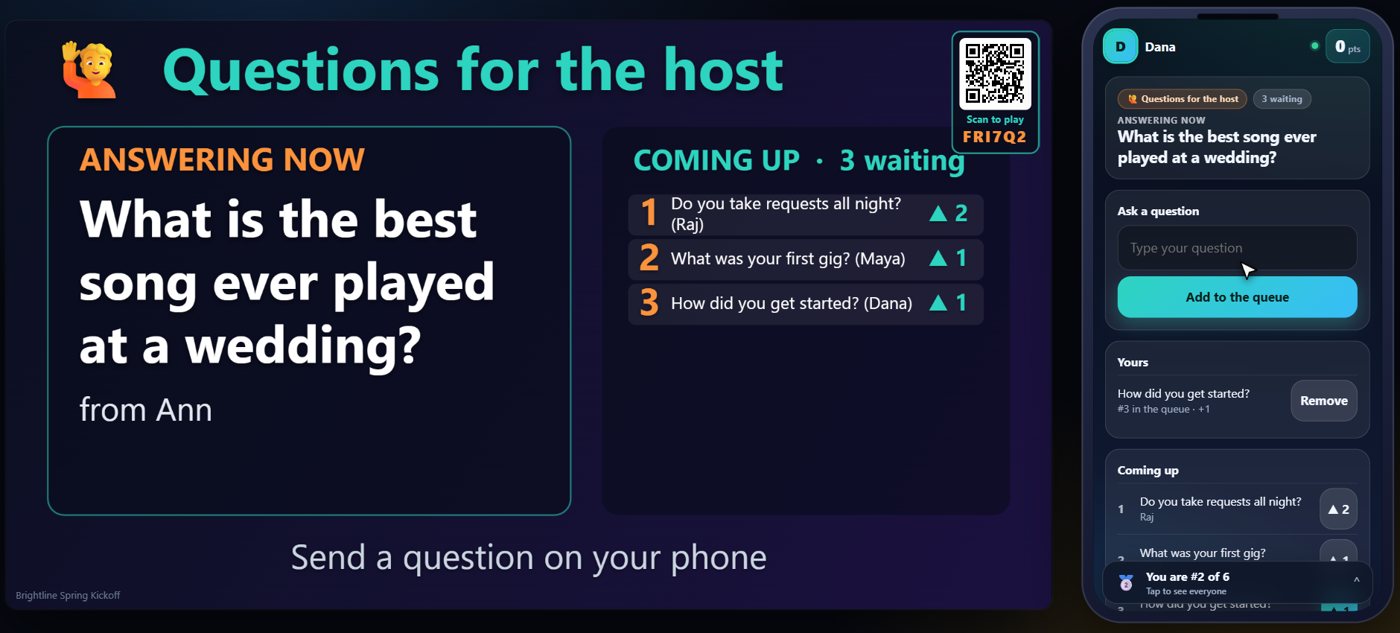
Choose Questions for the host. Guests send a question and vote up the ones they want answered, and you take the top one. The TV shows the question for the whole room. It works for a Q&A, a panel, a town hall, a webinar, a lesson, or a wedding toast.
For dares and who is up next
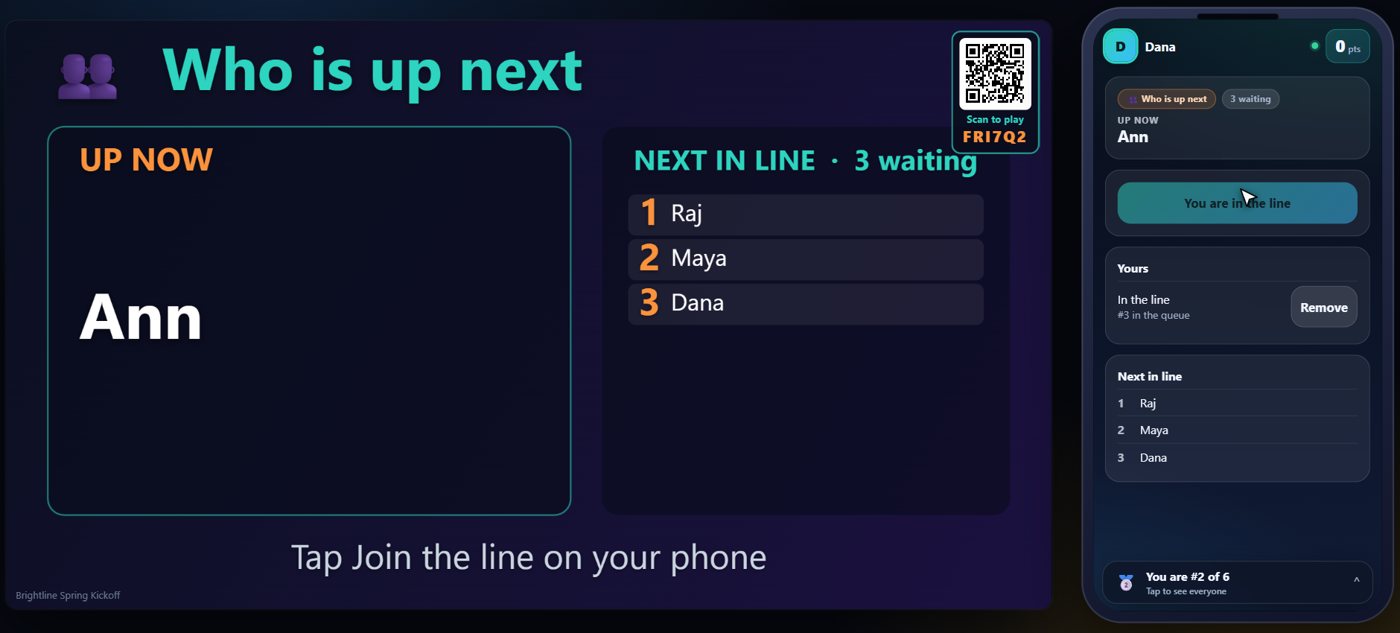
Choose Dares and challenges. Guests send dares and vote the best ones up, and a clock runs for the brave guest. Choose Who is up next for the simplest queue of all: nothing to type, guests tap Join, and the TV shows the order. Use it for turns, contestants, a photo booth, a prize pickup or any line.
Ideas for your own night
The same step handles many nights. Some ideas:
A DJ takes song requests with votes, and plays the crowd favourite next. A karaoke host keeps a fair line and a clock. A speaker or teacher takes questions and answers the most voted first. A party host collects dares and picks the best. A talent show or open mic shows who is on and who is next.
A wedding or birthday collects dedications and shout-outs to read out in turn. A bar quiz night lets teams suggest what to play next, with votes. A venue runs a line for the photo booth or the prize table. A team meeting takes ideas, and the group votes on which to discuss. A classroom lets students queue questions, or take turns at the board.
If none of the starting points fits, choose Something else: you name the prompt, the box, the labels, and whether guests can vote.
Tips
Run one queue at a time: each queue is its own step in the Rundown, so add a step for each use. Keep the limit per guest low. Close the queue when you want a break, and open it again after. If your queue is for songs, give the step a looping video background, and the queue shows over it.
Tip Anything a guest types is cleaned before it reaches the TV. For a mixed room, turn on approval.
Something missing or unclear? Check the FAQ or browse all guides.