Watch: Build and Run a Complete Show (4:43) · All videos
Pick a game template
A new show opens with a choice: Pick a game template, or Custom setup if you would rather add every step yourself. Press Pick a game template to see the games you can start from. You can come back to it any time from an empty Rundown.
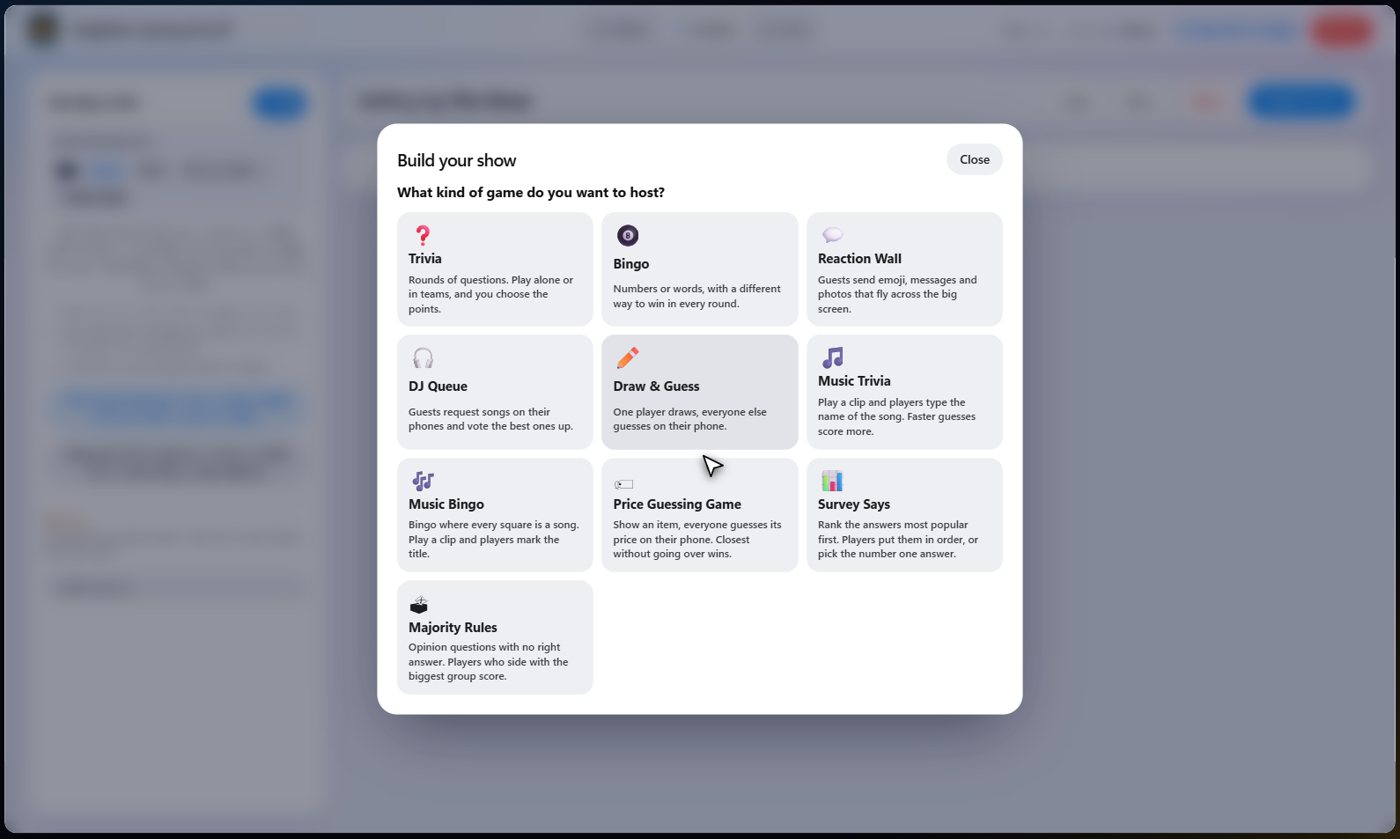
The ten games
Trivia: rounds of questions, alone or in teams. Bingo: numbers or your own words, with a different way to win each round. Reaction Wall: guests send emoji, messages and photos to the TV. DJ Queue: guests request songs and vote. Draw & Guess: one player draws and everyone guesses.
Music Trivia: a clip plays and guests type the song. Music Bingo: every square is a song. Price Guessing Game: guess the price of each item. Survey Says: guess the most popular answers. Majority Rules: opinion questions where the biggest group scores.
A few plain questions
Each template asks two to four short questions: how many rounds, where the questions or songs come from (written by the AI, typed by you, or picked from your music), how many points a win is worth, and whether people play in teams. The wizard will not move on until a screen is filled in properly, and it tells you what is missing.
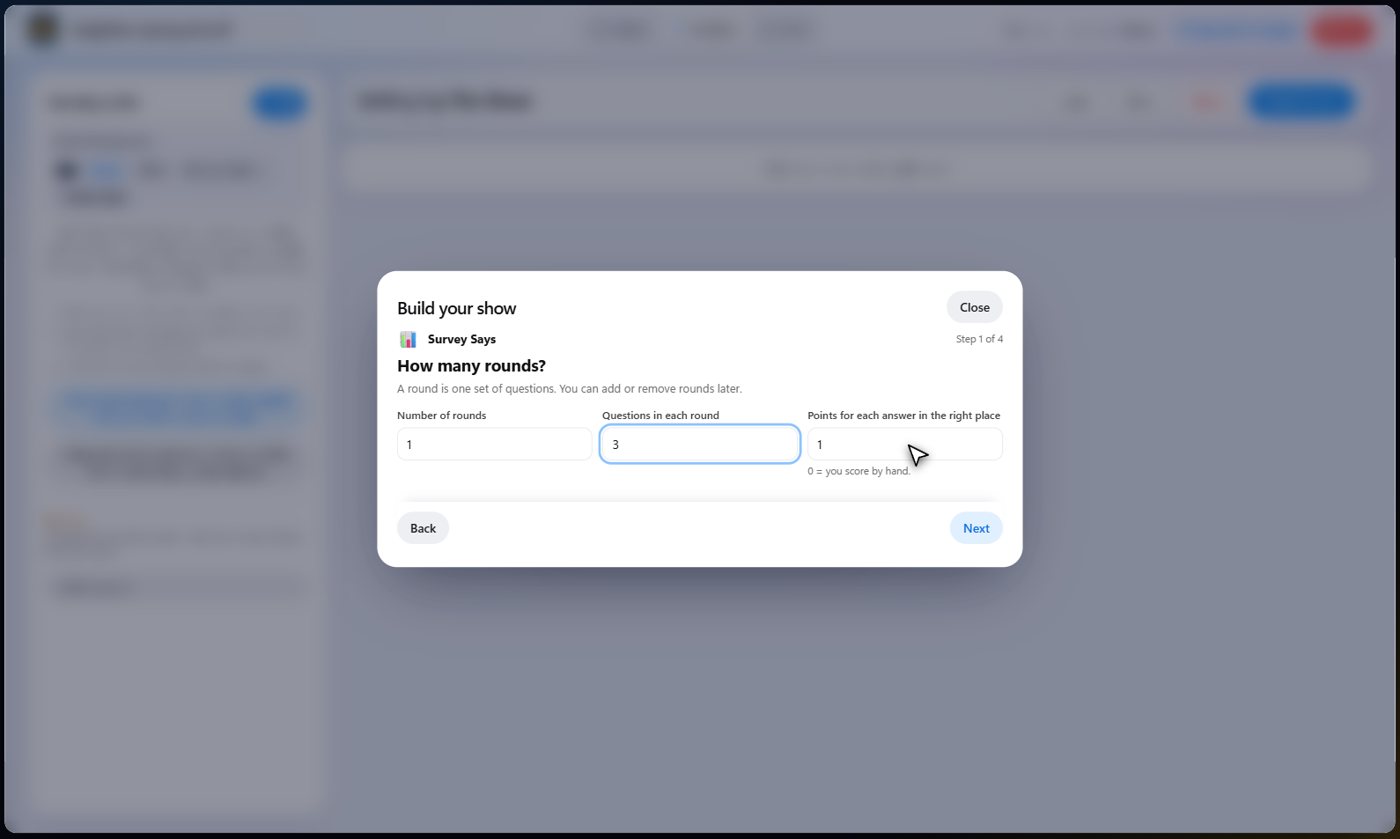
What it builds
The wizard builds a complete running order: a Welcome card, your teams if you chose them, the game, the scoreboard, and a Thanks for playing card. The cards are ordinary Card steps that just say it, so no AI host is needed. Untick the welcome and thank-you cards, or the scoreboard, on the last screen if you do not want them.
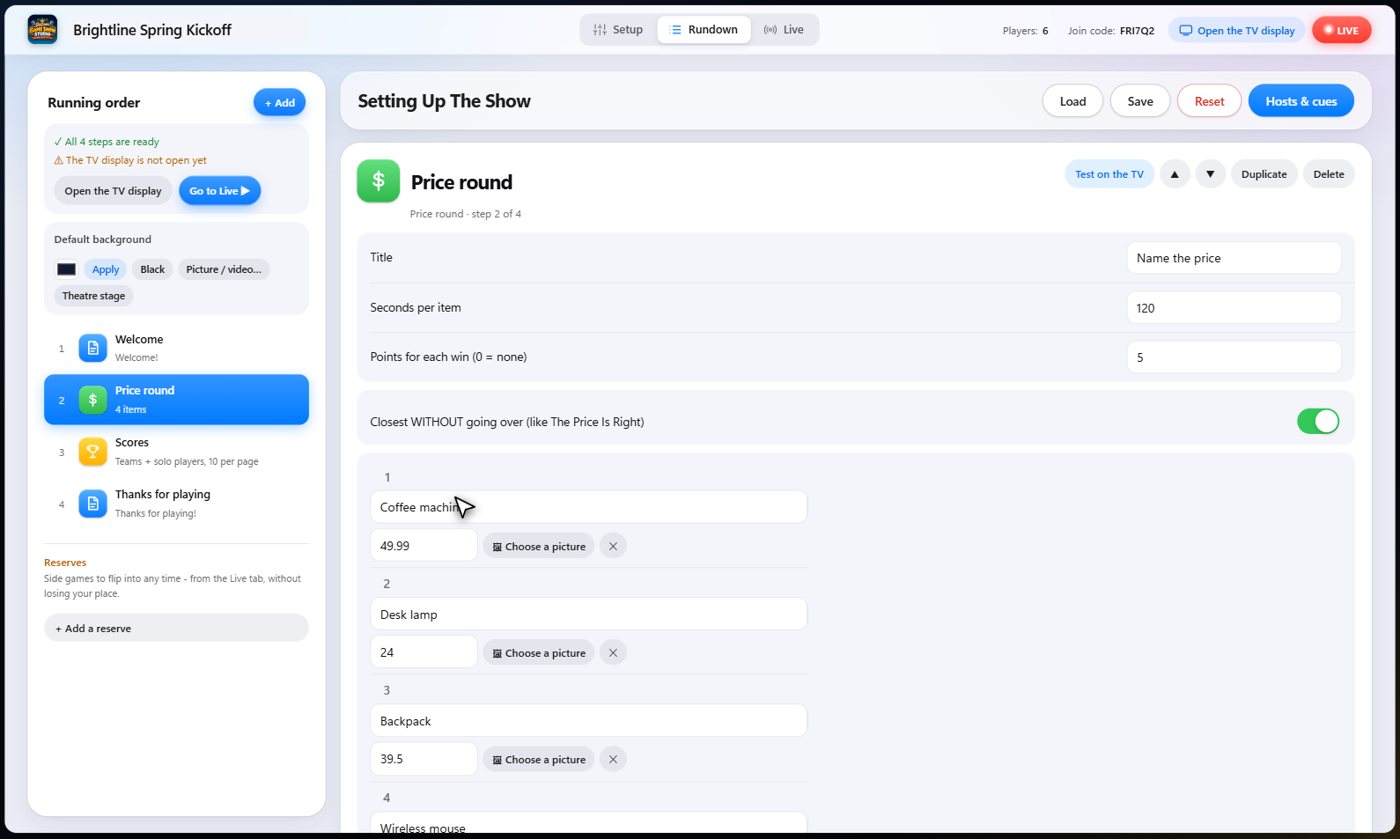
What is left to do
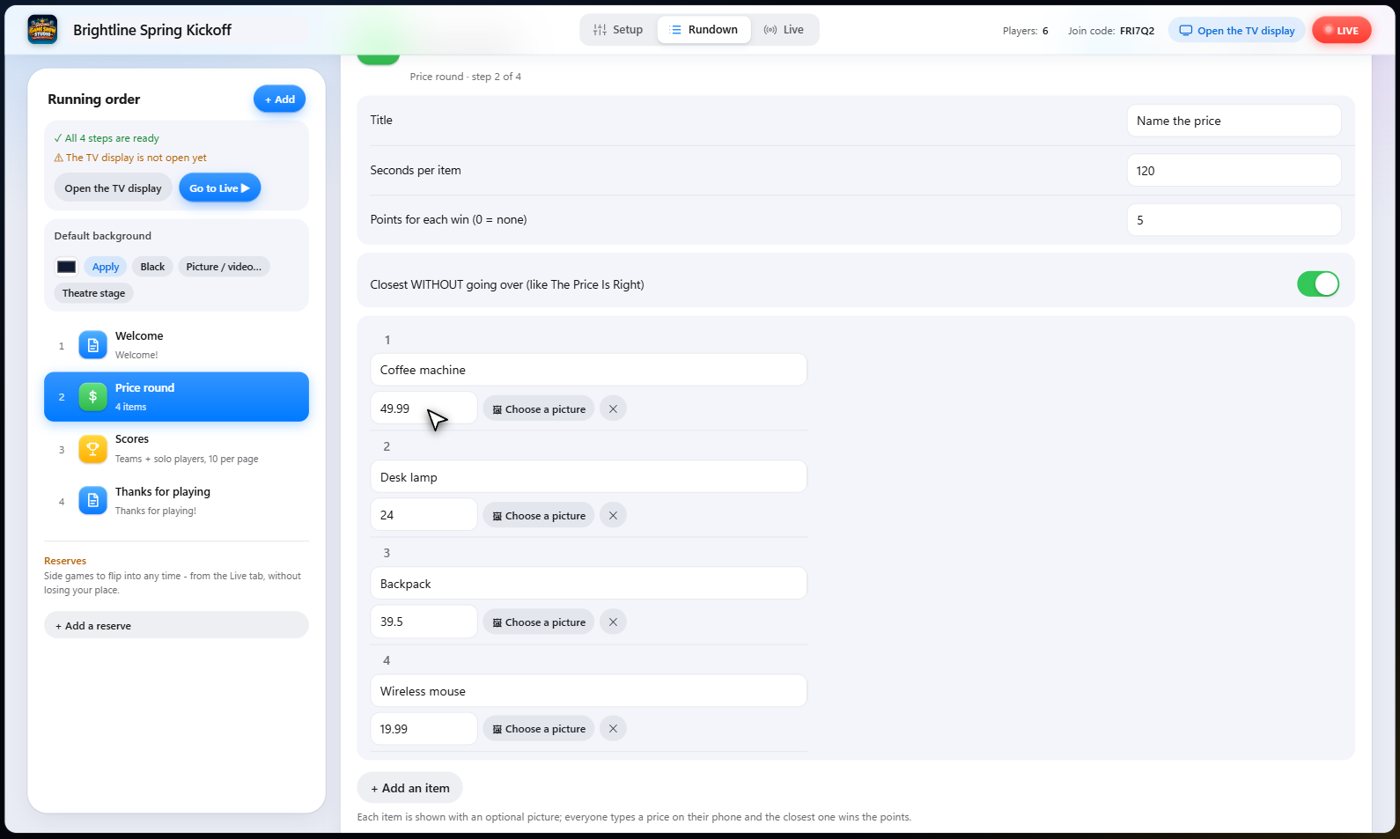
If a template could not finish a job, such as questions you chose to write yourself, the last screen lists the next steps in order. If the AI wrote something for you, such as a list, questions or prices, read it over before the show.
Tip The AI only estimates things like survey answers and prices. Always check them.
Change anything
The wizard only creates ordinary Rundown steps, so everything it built can be edited, moved, duplicated or deleted. Picking a template again replaces the steps you have, and asks first.
Something missing or unclear? Check the FAQ or browse all guides.